
Security your team can verify.
nara works in your systems and on your devices. You can always trace where data is processed, what nara may do, and what it did.


How nara protects your data.

Developed and hosted in Germany
We build nara in Germany and run the platform in a German data center. Your contracting party is nara GmbH in Würzburg.

AI models in the EU
AI processing for nara runs in data centers in the EU. The data processing agreement names the providers involved.

No training on your data
nara does not train AI models on your data. It redacts passwords and personal details in documents and tickets before the AI reads them.

Encrypted connections
Every connection to nara is encrypted. nara stores the credentials for your systems in encrypted form.

Connection from the inside
nara Edge is a small service on your computers and servers. It connects to nara from the inside, encrypted and outbound only. You roll out nara Edge with Intune, baramundi or Configuration Manager. Every file is signed, and every update is verified before it installs.

Only the actions you set up
On a device, nara only carries out actions your organization has set up. Employees can only have nara work on devices assigned to their account.

Revoke access at any time
You can revoke access for a single device, an integration, or an API key at any time. Everything else keeps running.
You decide what nara does on its own.

Rules per action
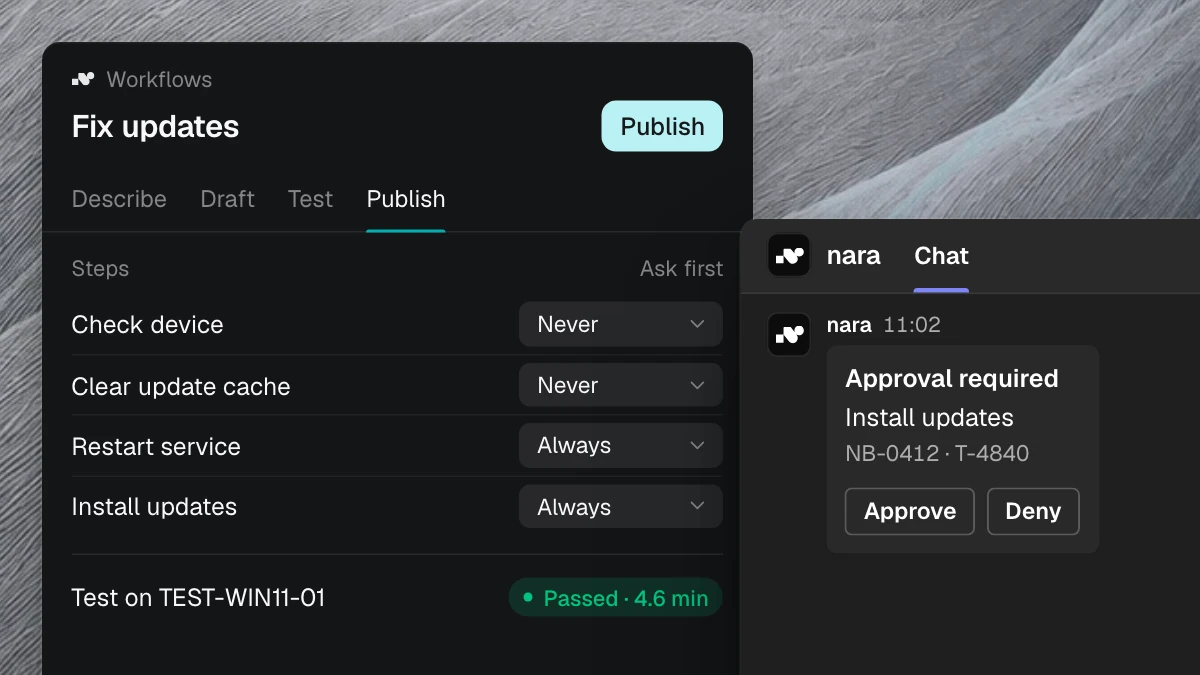
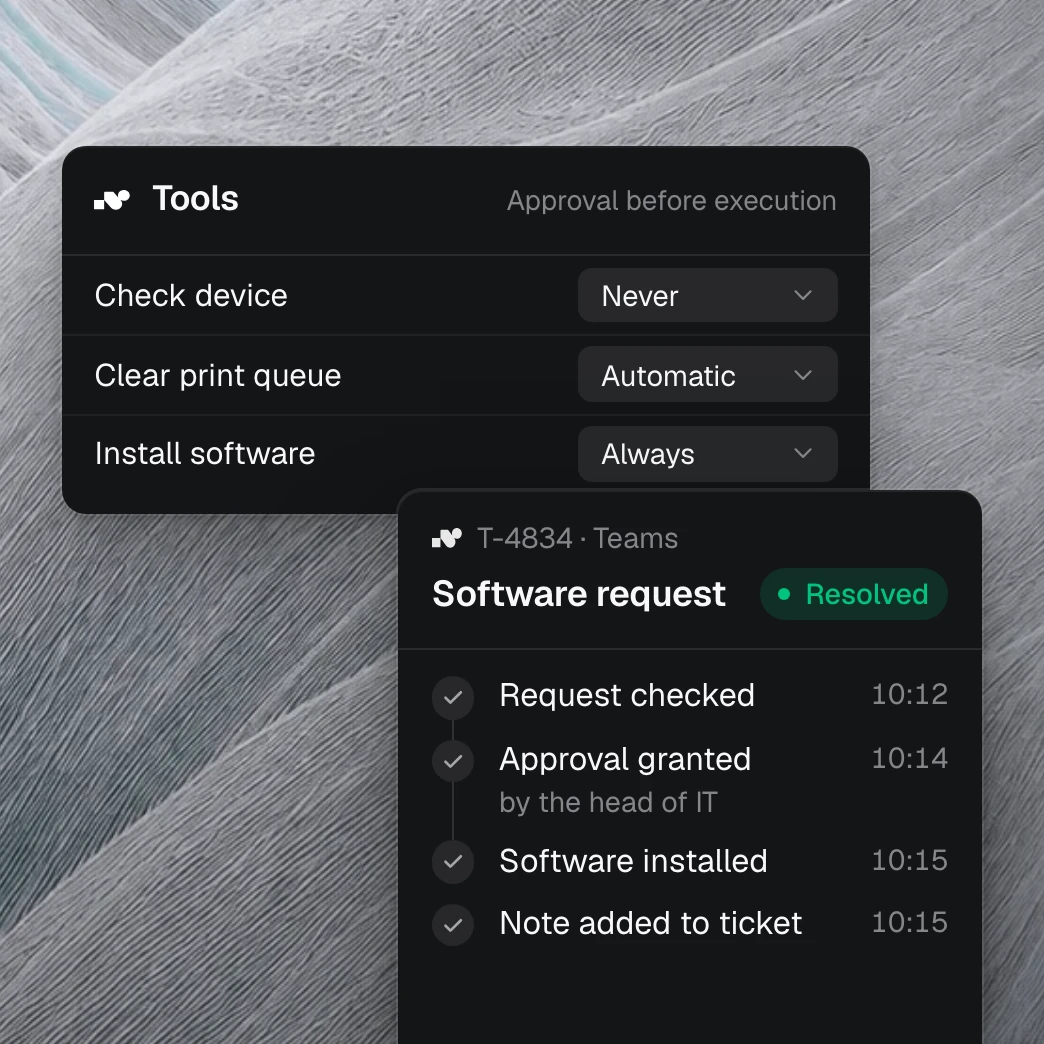
For each action, you decide whether nara carries it out on its own or asks first. Anything that changes something requires approval by default.

Approval in Teams
When an action needs approval, nara asks directly in Microsoft Teams, by chat or in a call. Approvals go to people, roles or Entra groups. If nobody decides in time, nara sends a reminder and escalates. Whoever requests something can never approve it themselves. Without approval, nothing happens.

SSO and roles
Employees sign in with their company account through SSO with SAML or OIDC. Roles and groups control who can use which workflows and which knowledge.
Every action is logged.
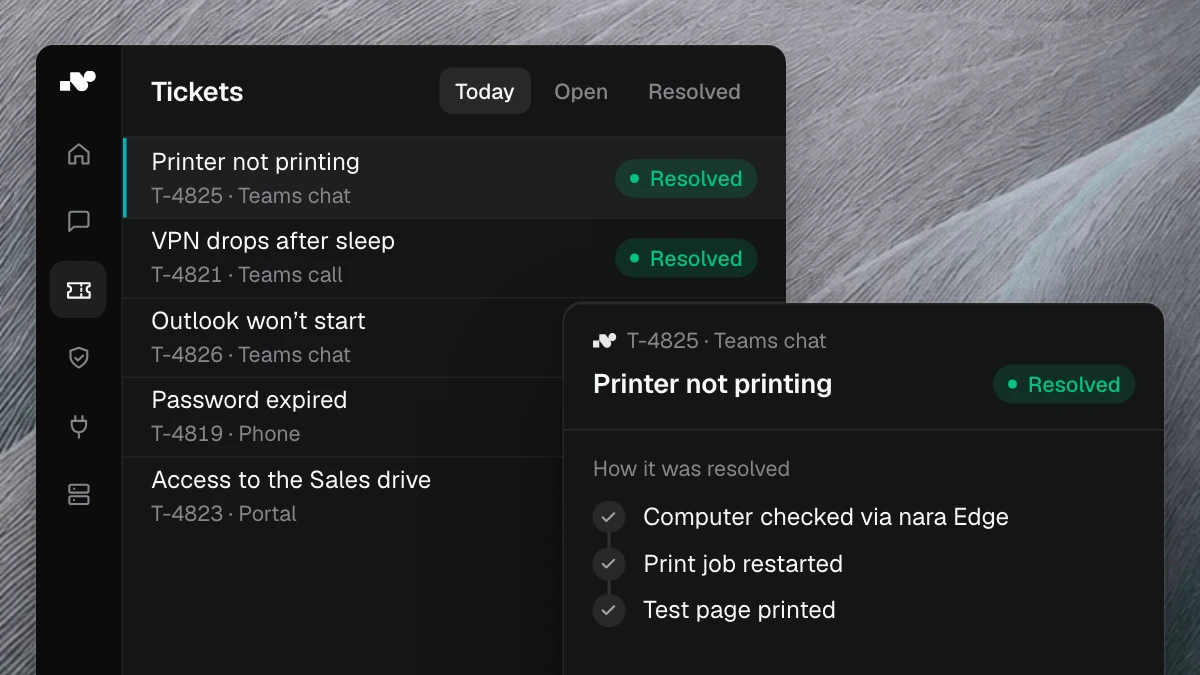
For every action, nara records who asked, what nara did, on which system and who approved it.
The audit log also shows when the action ran and whether it succeeded.
Your team sees every step on the ticket. Admins export the logs as CSV or Excel.
Bring your CISO and works council along.
In the meeting, we show you in the product how approvals and audit logs work and walk through the architecture with nara Edge. For your CISO, data protection officer and works council, we provide the documents, including the data processing agreement.
Everyone can see what nara has remembered about them and can change or delete it. By default, nara doesn't use chats between two people.
Request security documents
We send you the data processing agreement and the documents for your CISO, data protection officer, and works council by email.