In accounting, the first working days of the month belong to the close. At the same time, the inbox fills up: When is the deadline for travel expense reports? Has the trade show contractor’s invoice been paid?
Each answer takes a few minutes. Together, those minutes are missing from the close. And the person answering often has to look it up in a system the requester cannot access.
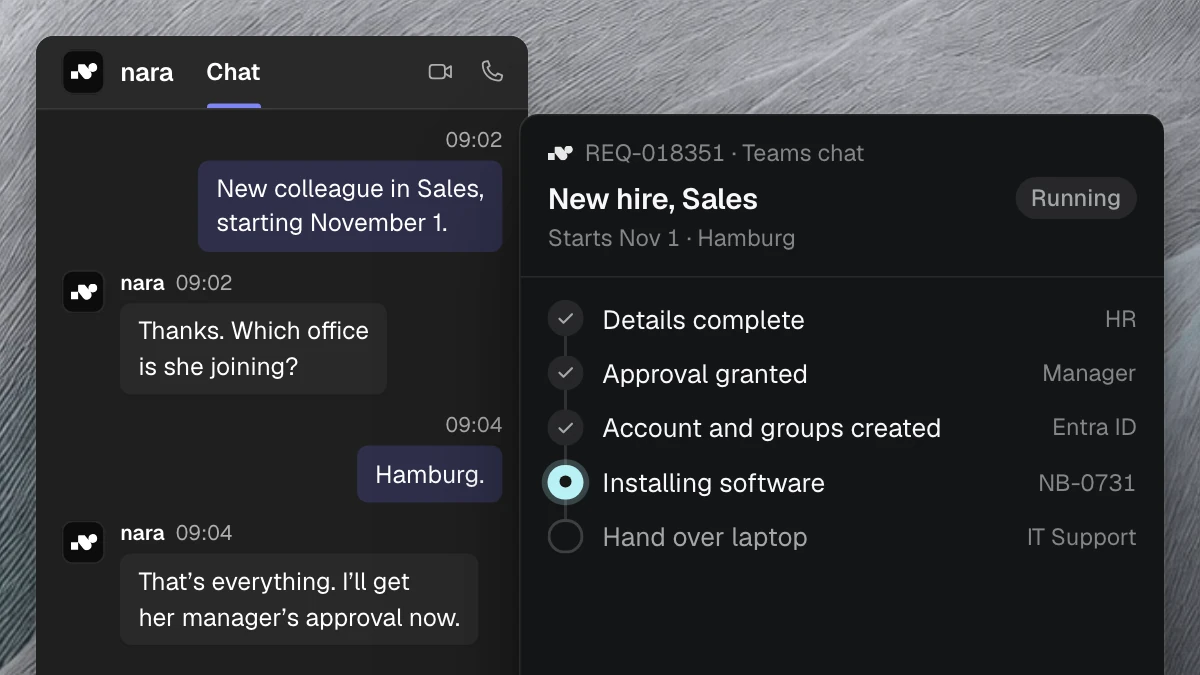
Most of these requests follow fixed rules or need one look into a system. nara handles both, directly in Microsoft Teams, by chat or call. Anything that needs judgment goes to your team with all the details.
Policy answers with a source
Expenses, travel costs, hospitality receipts and deadlines are covered by your policies. People ask anyway. If an employee asks in Teams whether he can submit the Vienna hotel bill without the original receipt, nara answers with the rule from your travel policy and points to the passage in the document.
When the policy changes, you replace the document, and from then on nara answers from the new version. If nara finds no rule, the question goes to your team. nara then suggests the team’s answer as a new entry. Once your team approves it, nara answers the question itself next time.
nara checks the payment status
“Has my reimbursement been paid out?” “Has the Becker invoice been paid?” For questions like these, nara checks your accounting system or ERP and answers right away, with date and amount.
Read access is enough for this. nara only gives out information the requester is allowed to have, for example on invoices for their own cost center. You set that rule in the process.
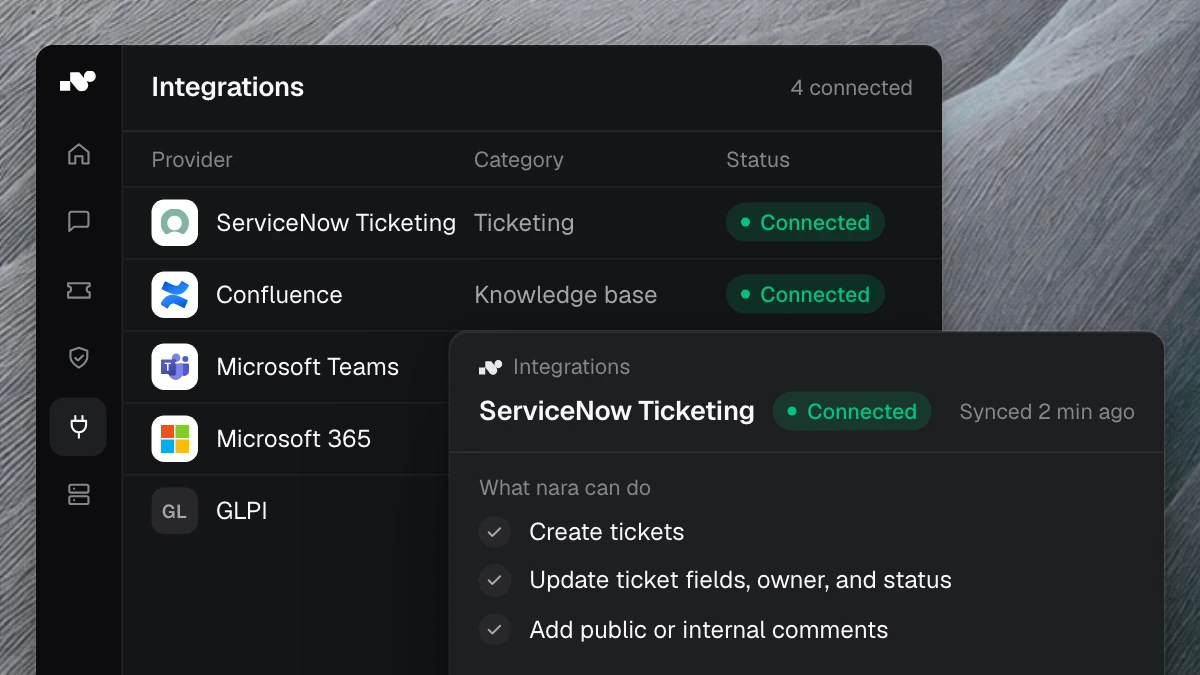
nara connects to your finance software, with or without an API. If it only runs on an internal server, nara Edge connects from there: a small service that opens the connection from the inside. Your firewall stays closed.
Recurring tasks after approval
Some requests are tasks, such as setting up a new supplier or granting access to the ERP system. At a European manufacturer whose roughly 35,000 tickets we analyzed, it took two to three days until ERP access was granted. Only 21% of requests arrived complete.
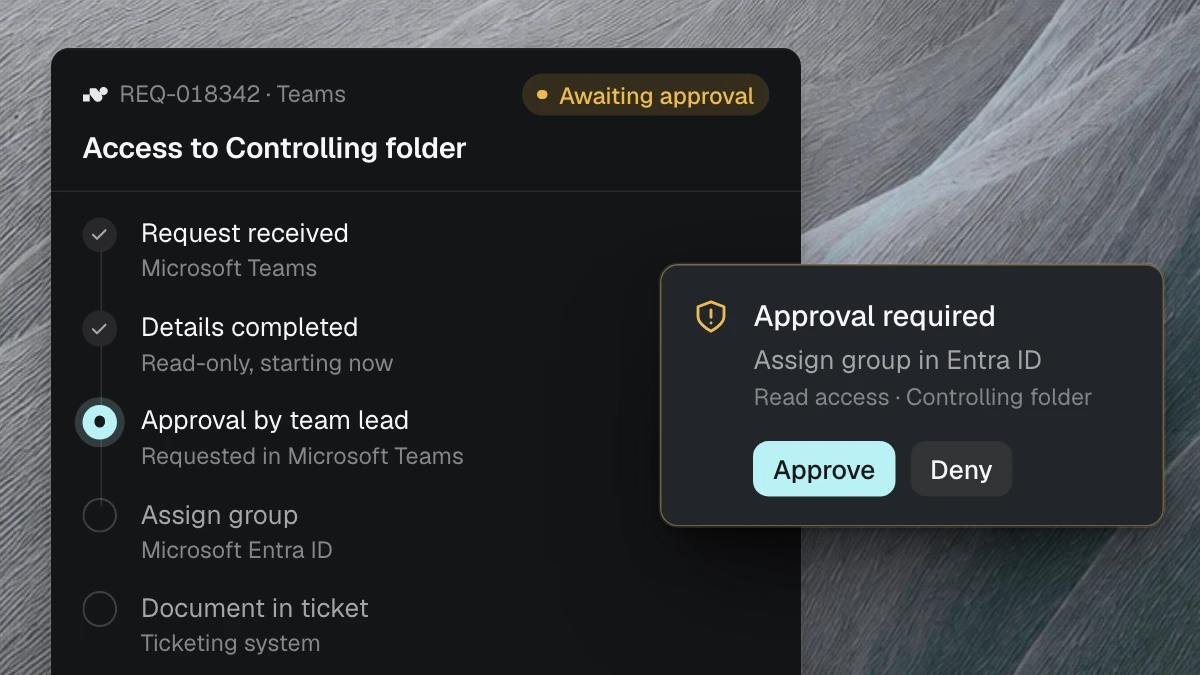
So nara asks for everything that is missing before a request moves on. It then gets approval in Teams from the responsible person, such as the cost center owner or the head of accounting, and carries out the step in the system afterwards.
Supplier data deserves a fixed rule. Changed bank details are a well-known route for fraud. Set this step to always require approval, and nara sticks to it, however urgent the request sounds.
What your team decides
For each step, you decide whether nara only looks things up, prepares or executes, and who approves beforehand. Payment approvals and postings can stay entirely with your team.
Financial data is sensitive. nara is developed and hosted in Germany. AI processing runs in the EU, and your data is not used for training. Every action is logged with its approval and timestamp. More on the Security page.
How to set up the process
Your team sets up a process by describing it: “When someone asks whether an invoice has been paid, check the accounting system and give the payment date and amount. Only answer for invoices from the requester’s own cost center.”
nara turns this into a process and shows every step. You test it with questions from last month, set the approvals and switch it on. Changes work the same way, in one sentence. Or we set up the first processes together with you.
Your first process
Sort one month of requests from the accounting inbox. The question that comes up most often and follows a clear rule becomes your first process.
The All processes overview shows what else you can automate with nara. Bring your most frequent questions to a free introductory meeting. In 30 minutes, we will show you examples of how nara answers them.