The best first processes for IT automation run the same way every week. Someone gets in touch, two details are missing, a colleague checks something, and then something changes in a system. nara takes over that work, from the first message to the fix.
We have analyzed more than 40 million tickets from customer projects. The ten processes in this article almost always come out on top. For each one, you’ll find what nara does, who approves, and what your team gets out of it.
Employees reach nara in Microsoft Teams, by chat or by call, or on a regular phone number. Approvals come from the responsible person, right in Teams. Every step is recorded on the ticket, in nara or in your ticketing system, such as ServiceNow, Matrix42, Jira, or Freshservice.
1. VPN and network issues
Monday, just before eight: “My VPN won’t connect.” Normally that means follow-up questions, a ticket, and a remote session.
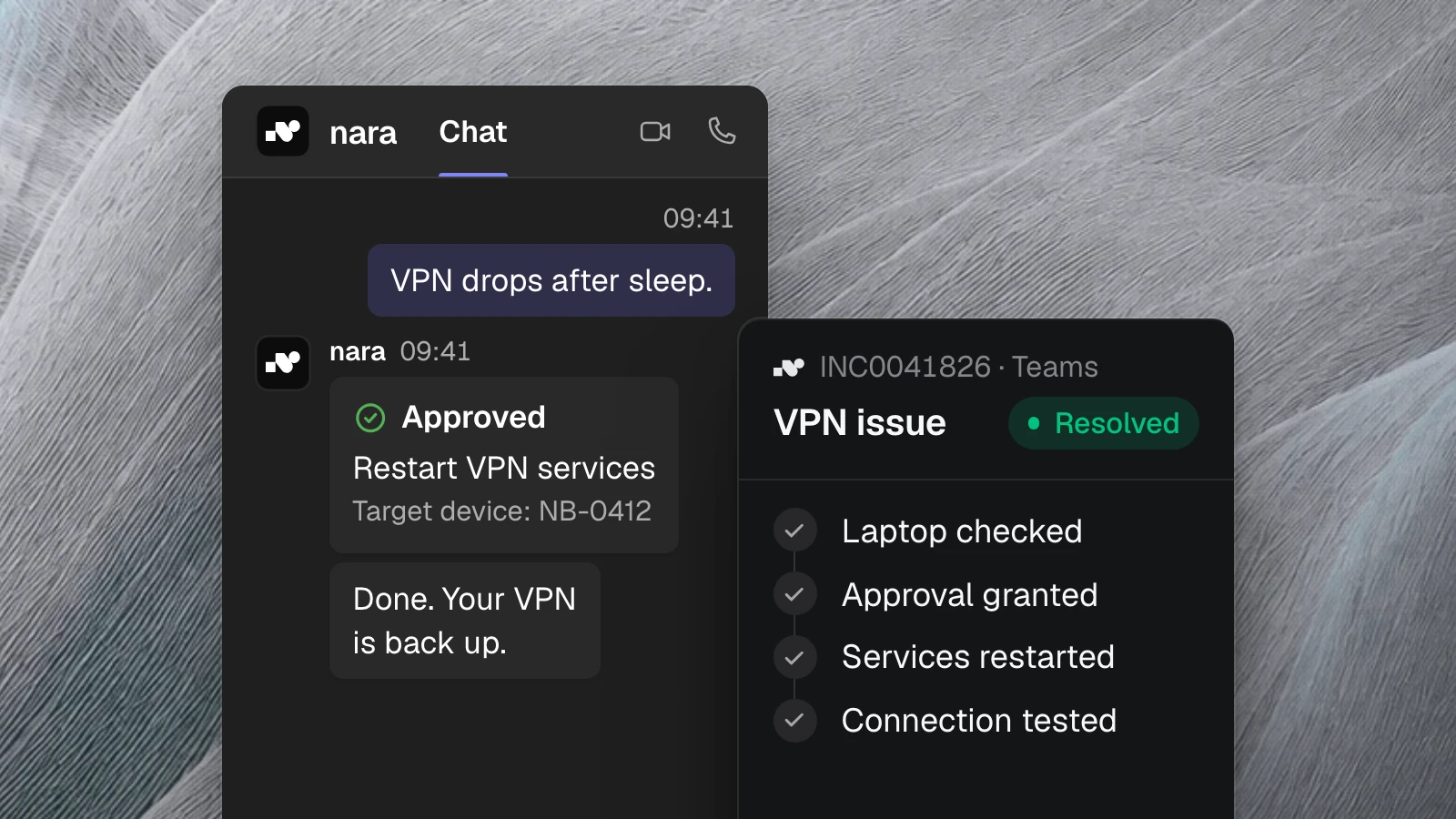
nara asks in the chat which laptop is affected. Through nara Edge, a small service on your computers, nara then checks whether the laptop reaches the network, whether the VPN services are running, and whether the certificate is valid. nara Edge connects to nara from the inside, so your firewall stays closed. For a known fault, nara proposes the fix, such as restarting the VPN services. The employee confirms in Teams, and nara runs the fix and tests the connection again.
Your team sees a resolved ticket with the finding and the fix. If the fix doesn’t help, they take over with all the diagnostic data.
2. Password resets and locked accounts
Resetting a password takes seconds. The employee still waits until someone has time: identity check, follow-up question, queue, documentation. In our analysis of 35,178 ServiceNow tickets, passwords and locked accounts made up 1,324 cases.
nara verifies the person’s identity according to your rules, resets the password or unlocks the account, and closes the ticket. For standard accounts you can let this run without an extra approval, because the identity check is the control. Admin accounts and cases with unclear identity go to your team.
Nobody on your team has to pick up the phone for a forgotten password anymore.
3. Printers and devices
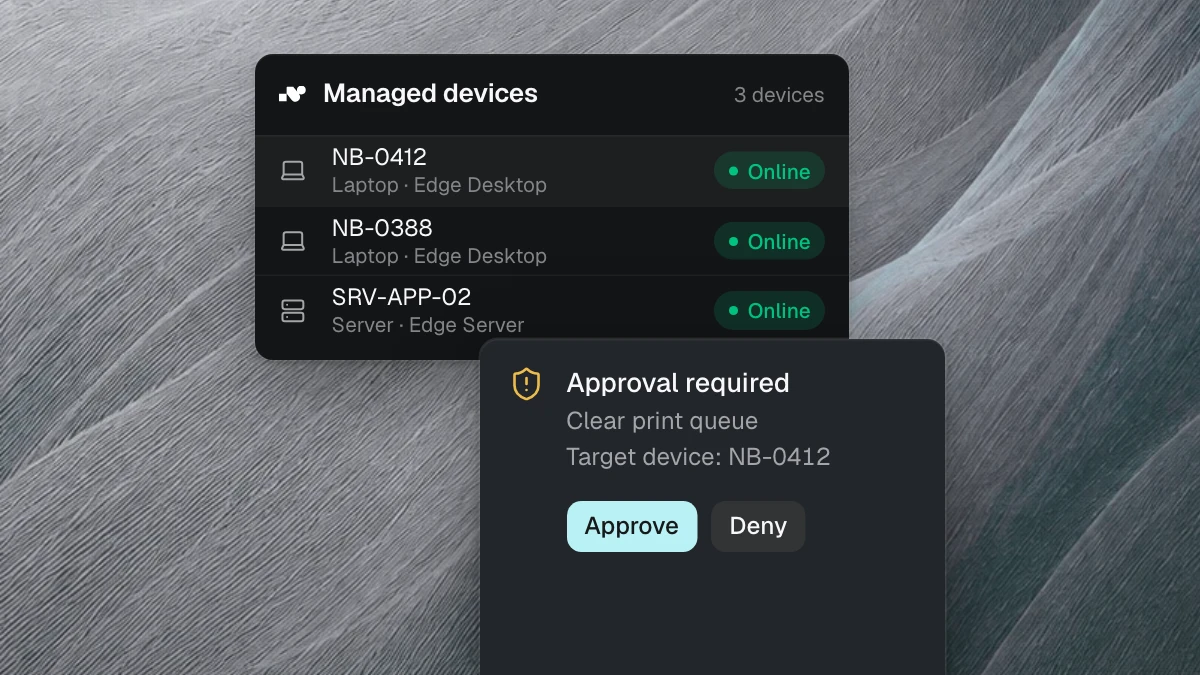
The print job is stuck, a Windows update is missing, Teams won’t start. nara checks the device and fixes known faults: clearing the print queue, restarting a service, installing the update, repairing the meeting app. Checks run immediately. Depending on your settings, the employee confirms repairs in Teams with one click first. Your team only gets the cases that need someone on site, like a broken printer.
4. Software requests
“I need Visio.” nara checks whether the software is intended for the person’s role and installs standard software directly on the laptop, without a remote session. If the software needs a license, nara first gets approval from the manager or procurement in Teams.
Your team stops working through installation tickets, and every license comes with a documented approval.
5. Access and ERP permissions
Access requests arrive in large numbers. At a European manufacturer with about 35,000 tickets, there were around 1,200 account and permission changes a year. Granting ERP permissions took two to three days.
nara asks until the request is complete: which role, which access, what for. Then it goes to the responsible person for approval, the manager or the system owner, right in Teams. Once approved, nara sets the permission and records who approved it and when.
Your team no longer chases missing details. And when the auditors ask, the request, the approval, and the change are in one place.
6. Onboarding
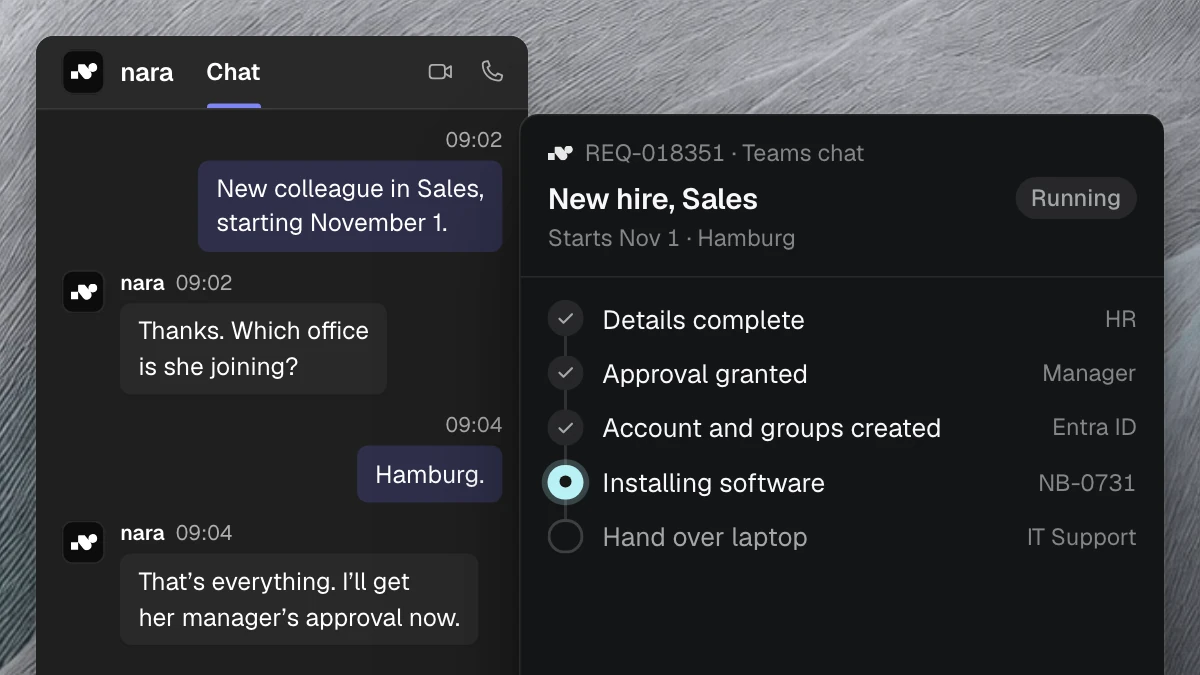
A new colleague starts on the first of the month. HR reports the new hire to nara in Teams. nara asks for role, team, and location, gets the manager’s approval, and creates the account and groups before the start date. nara installs the software directly on her laptop.
Anything nara doesn’t do itself, such as handing out the laptop, becomes a task for the responsible person and stays visible until it’s done. On day one, account, access, and software are ready, and every step is on the ticket. The onboarding and offboarding page shows the process in detail.
7. Role and location changes
When someone moves to another department, they need new permissions and should lose the old ones. The second part often gets forgotten. nara compares the permissions of the old and the new role, sends the changes to the new manager for approval, and then applies them, adding and removing in one go. Anything that deviates from the standard for the role goes to IT.
That way nobody collects permissions over the years that they no longer need.
8. Offboarding
An employee leaves at the end of the month. nara records the person and the leaving date and builds the plan: account, groups, laptop return. HR or IT approves the plan in Teams. On the leaving date, nara disables the account, removes the groups, and records the time.
When the auditors ask months later when the account was disabled, the answer is on the ticket, approval included.
9. Ticket status and known incidents
“Where’s my ticket?” nara reads the status in your ticketing system and answers in Teams, including the next step. If an incident is already known, nara tells everyone who gets in touch and links their report to the existing ticket. No approval is needed, since nara only reads.
Status questions no longer reach your team, and an outage doesn’t create a pile of new tickets.
10. Everything else: intake and handoff
Not every case has a workflow set up. nara still does the groundwork: it asks for missing details, searches your knowledge, checks the device, and routes the case to the right group.
Your team gets a ticket with a summary, findings, and a proposed fix. Nobody has to ask the employee the same questions again.
Where to start
Start where high volume, long wait times, and a clear end state come together. Your ticket history shows which processes those are for you. The ticket analysis reviews it in one to two weeks and delivers a start plan with the first workflows.
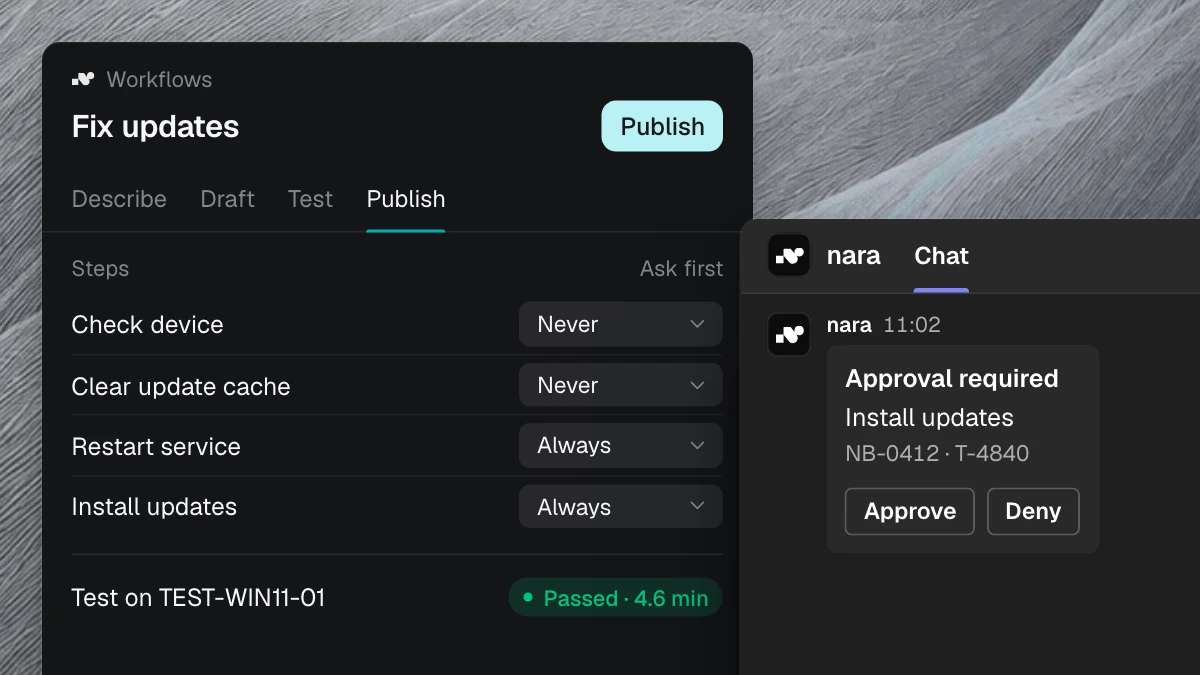
Setting up a workflow is easy. You describe in your own words what should happen, the way you’d explain it to a new colleague. nara builds the workflow from that and shows you every step. You test it, decide which steps need an approval and who gives it, and switch it on. Changes work the same way. If you prefer, we set up the first workflows together with you.
The same pattern runs across the company
A request comes in, details are missing, someone approves, and in the end something changes in a system. Purchase approvals, finance requests, and access to reports follow the same pattern. nara automates processes across your company, with or without an API. The All processes page shows examples.
In a free introductory meeting, we spend 30 minutes going through which of these ten processes fit your organization first and show anonymized examples. You don’t need your own ticket data for it.