Enterprise Service Management, or ESM, means that departments outside IT handle requests the way the IT service desk has done for years. HR, purchasing, finance, and facility management get one shared entry point. Every request has a clear owner, and whoever asked can see where it stands at any time.
The topic usually comes up through a vendor, as an extension of the ticket system you already have. Whether it pays off depends less on the software than on one question: does the request get done faster in the end, or does it just sit in a different system?
What ESM means day to day
An employee needs a salary certificate, a team lead needs a second monitor, and the heating on the third floor stops working. In many companies, each of these requests ends up somewhere different, sometimes in a shared inbox, sometimes with the colleague someone happens to know. Afterwards, nobody is quite sure whether anyone is on it.
ESM gives these requests the structure the IT service desk already has:
- All requests come in through one entry point.
- For each type of request, it is clear who handles it and who approves.
- Everyone involved sees the status until the request is done.
- Frequent requests follow a fixed workflow.
Technically, this often runs on the same software as IT service management: a portal with a service catalog, forms, queues, and approval rules. Matrix42, for example, offers an ESM subscription, and ServiceNow is built for large enterprises that run IT, HR, facilities, and customer service on one platform.
ITSM and ESM: where the difference lies
IT service management, or ITSM, describes how IT delivers its services: fixing incidents, fulfilling requests, planning changes, managing devices and licenses. Enterprise Service Management applies these principles to the other departments.
The difference lies in the work itself. IT thinks in tickets and deadlines. In HR, purchasing, and finance, workflows depend on approval limits and policies, often on specialized software of their own as well. And many requests involve several departments at once: a new hire needs HR, the manager, IT, and facility management. A pure ITSM usually covers only the IT part.
Where ESM projects fail
Two mistakes make ESM expensive without improving anything for employees.
Every department gets its own portal
HR sets up a portal, purchasing an order form, facility management a separate address for damage reports. For employees, this means they have to know which department is responsible, which portal belongs to it, and which category fits. Anyone who doesn't know writes another email to the colleague they know.
The work is still done by hand
The request arrives neatly as a ticket, with a status and an owner. Then someone in HR types the details into the HR system, IT creates the account by hand, and facility management gets an email. The onboarding splits into three tickets, nobody has the full picture, and on the first day a login is still missing. The ticket makes the work visible, but the work is still done by hand.
How to start with Enterprise Service Management
Start with one process, not with a platform for the whole company.
Pick a process that connects departments
A good candidate is a workflow that causes noticeable friction today and needs several departments. Onboarding is the obvious example: HR reports the new hire, the manager defines the role and access, IT sets up the account and laptop, and facility management provides the workspace and access card. If one piece is missing, the new colleague notices on her first day. New hires happen regularly and have a clear end point, so you see quickly whether things improve.
Write down today's workflow
Record how it works today: who provides which detail, who approves, who carries out the work, and where the case gets stuck. This often shows that the individual steps are routine. The time is lost in follow-up questions and handoffs.
Put the entry point where your people already work
Another portal is rarely the best entry point. HR and managers spend their day in Microsoft Teams or their inbox anyway. If reporting a new hire starts there, nobody has to look for the right form.
Measure the outcome
Decide up front how you will recognize success: whether the account, laptop, access, and workspace are ready on the first day, how often someone had to chase missing details, and which steps were still done by hand. Whether a ticket exists for every new hire says little about that.
Onboarding processes personal data. Clarify early which details the workflow needs, who sees them, where they are processed, and what is logged. Your data protection officer decides whether the solution may be used this way. It is best to involve the works council from the start.
Once the first process is running, the next one follows, such as orders in purchasing.
Where nara comes in
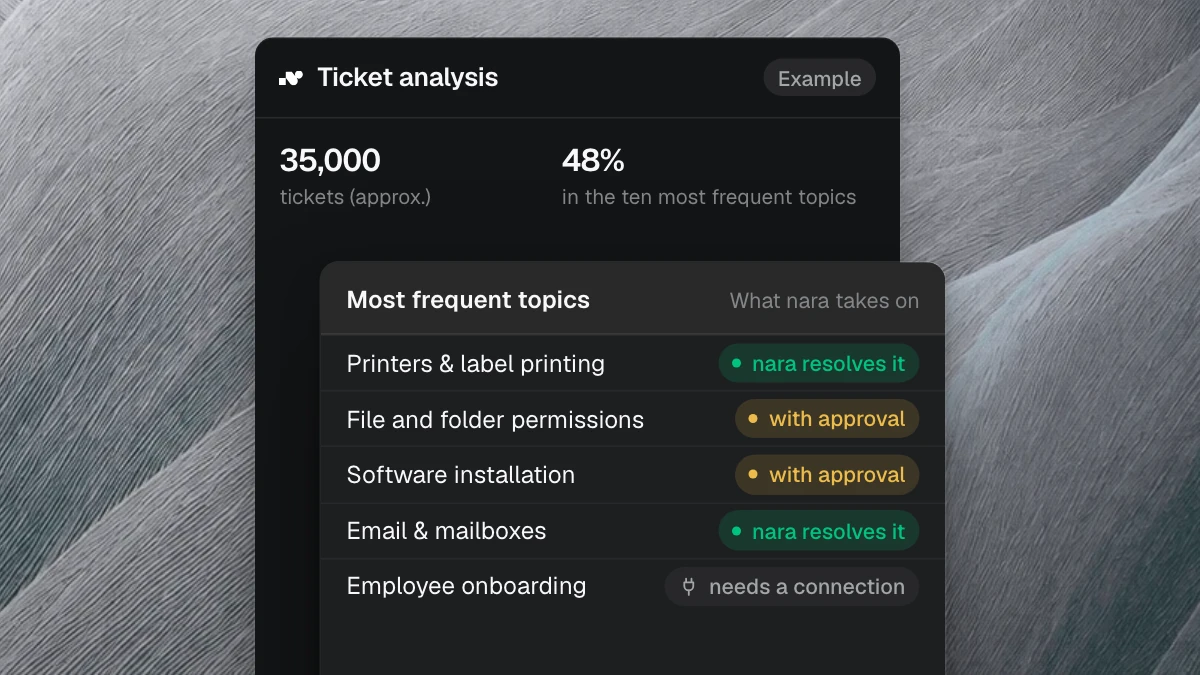
nara handles requests and processes across the company, from the first message to the result, directly in your systems. For ESM, this means employees don't need another portal, and nara does the work behind the request.
One entry point in Microsoft Teams
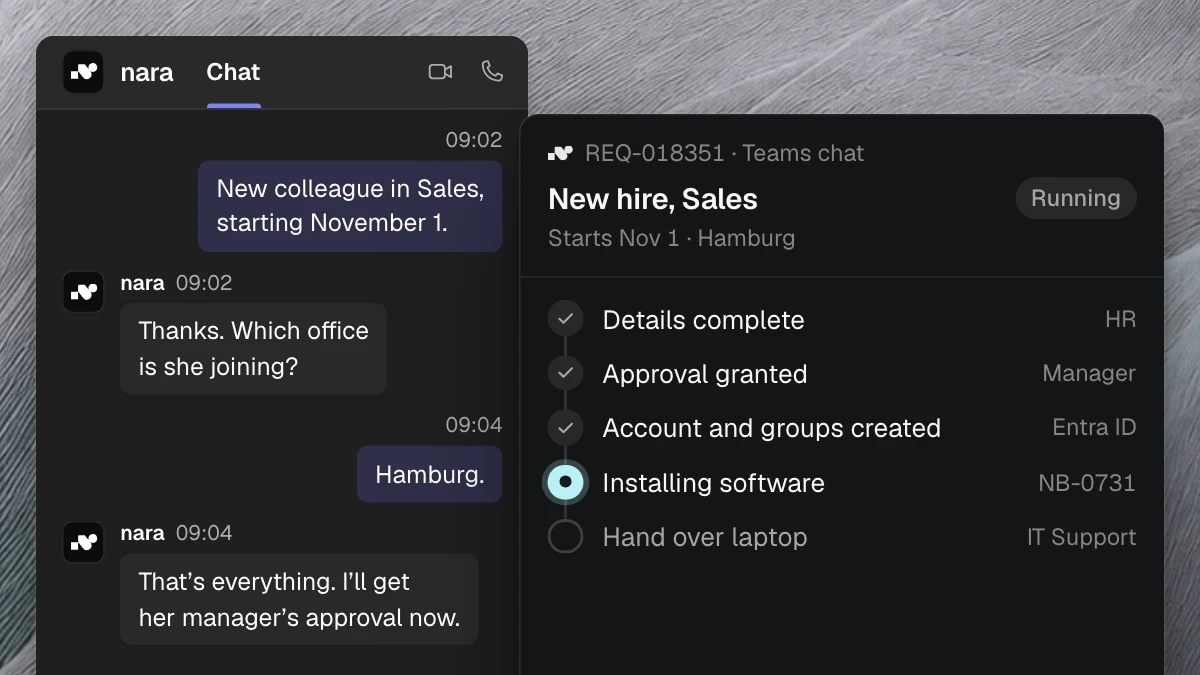
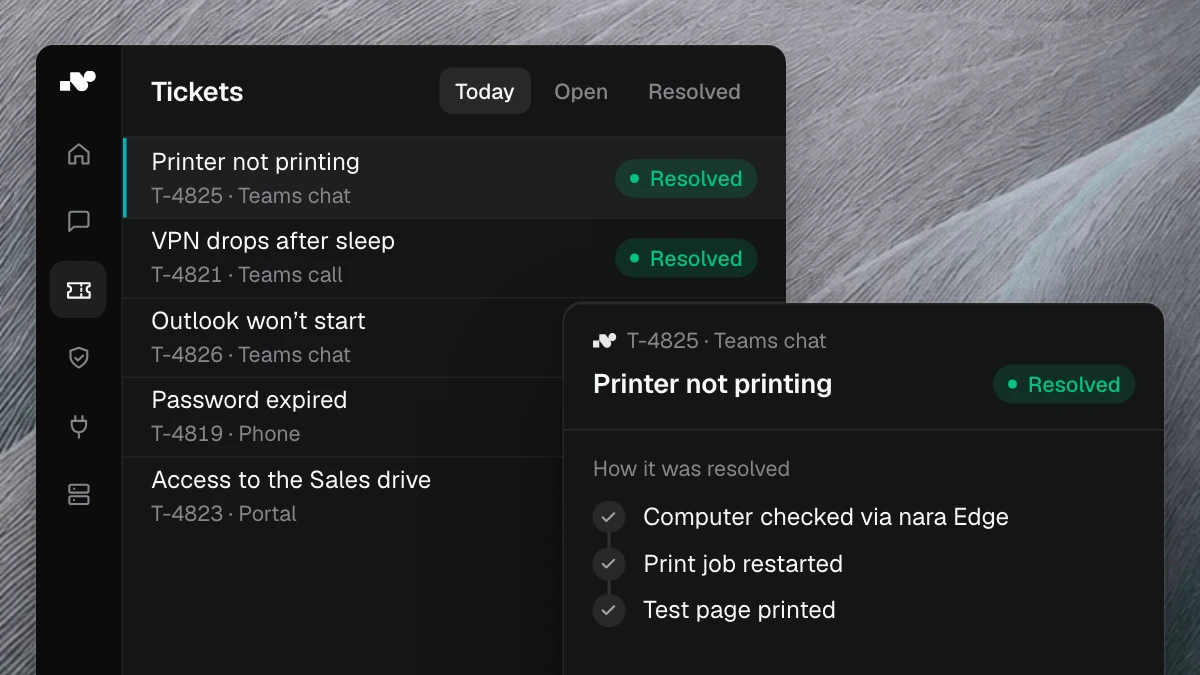
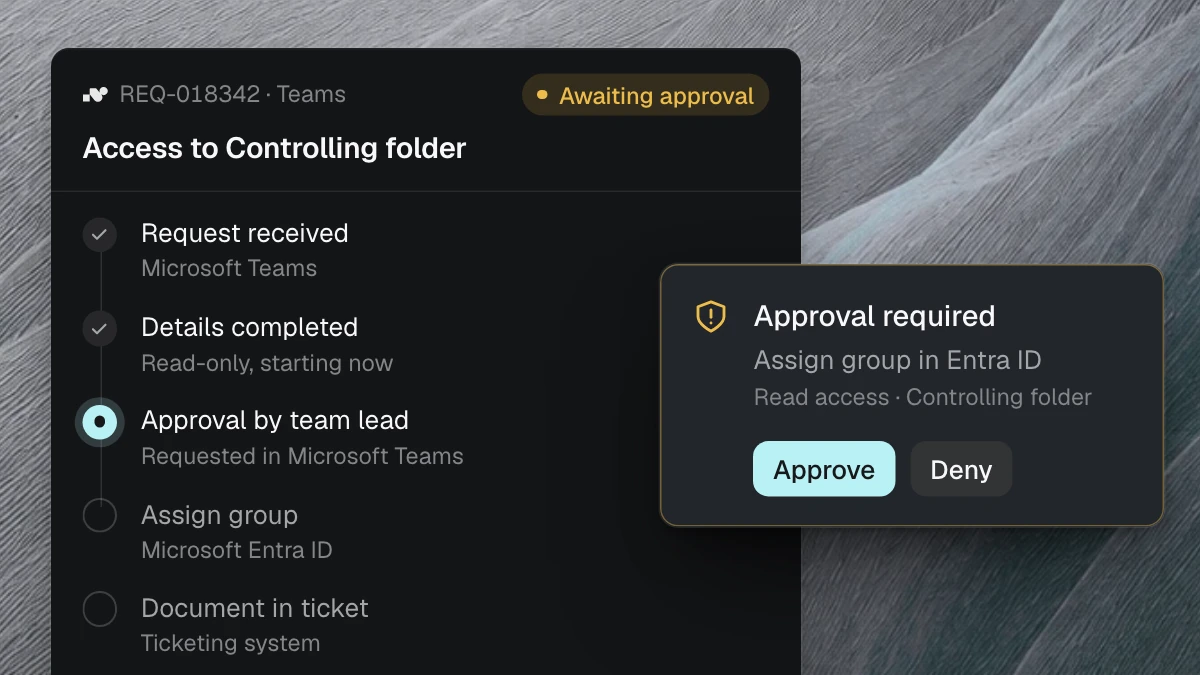
Employees message nara in Microsoft Teams or call it there, whether it's about a laptop or a question on the travel expense policy. nara asks for anything missing and pre-fills the forms. If a department has no ticket system, nara tracks the request itself, with status and log. Your people only check and approve.
Onboarding as one case
For a new hire, HR messages nara in Teams, for example: “New colleague in Sales, starting November 1.” nara collects the role, start date, and office from HR and the manager and builds the plan from that. The people responsible approve the whole plan before nara creates an account. nara then creates the account and groups in the directory, installs the software directly on the laptop, and records every step with the time.
Anything nara can't do itself, such as handing over the laptop, becomes a task for the person responsible and stays open until someone completes it. That way, HR, the manager, and IT see the same status. More on the onboarding and offboarding page and in the guide to joiners, movers, and leavers.
Purchasing and finance under the same rules
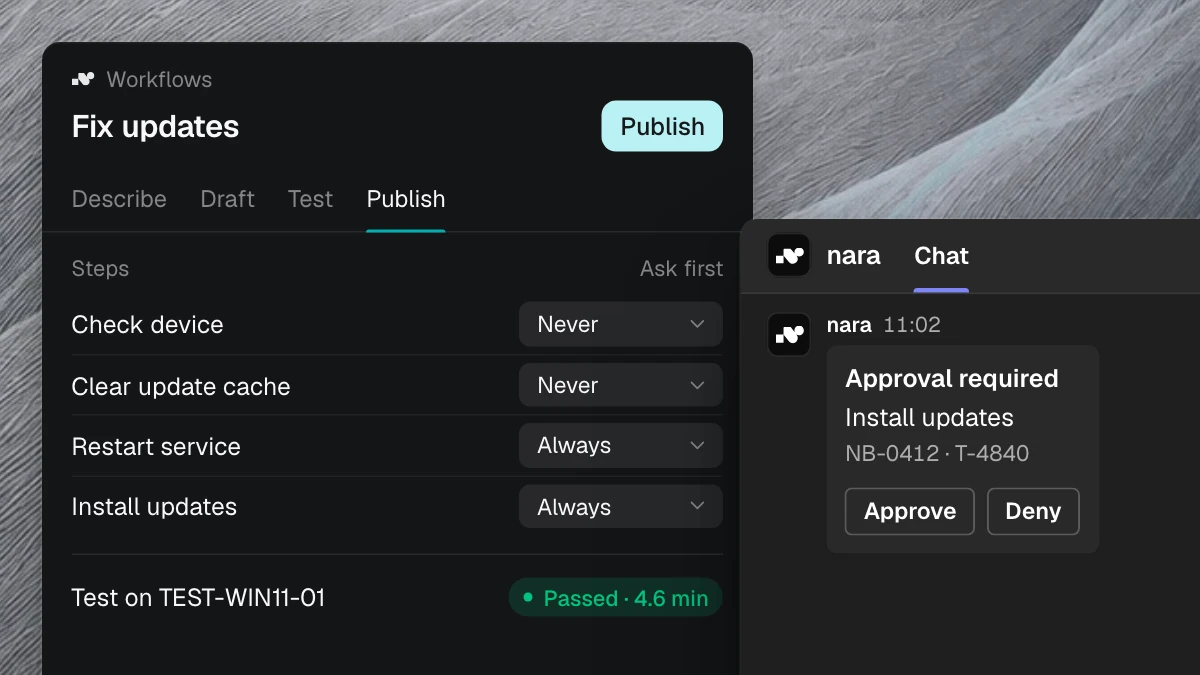
In other departments, nara works with the same rules and approvals. An order over €5,000, for example, is approved by the department head in Teams, and nara then creates it in the purchasing system. The procurement automation guide covers the full path. In accounting, nara answers policy questions with the source and checks payment status in the system, as the article on finance support shows. You'll find more examples, such as access requests from business teams, under All processes.
You describe new workflows to nara in your own words, set the approvals, and test with real cases before you switch them on. If you like, we set up the first workflow together with you.
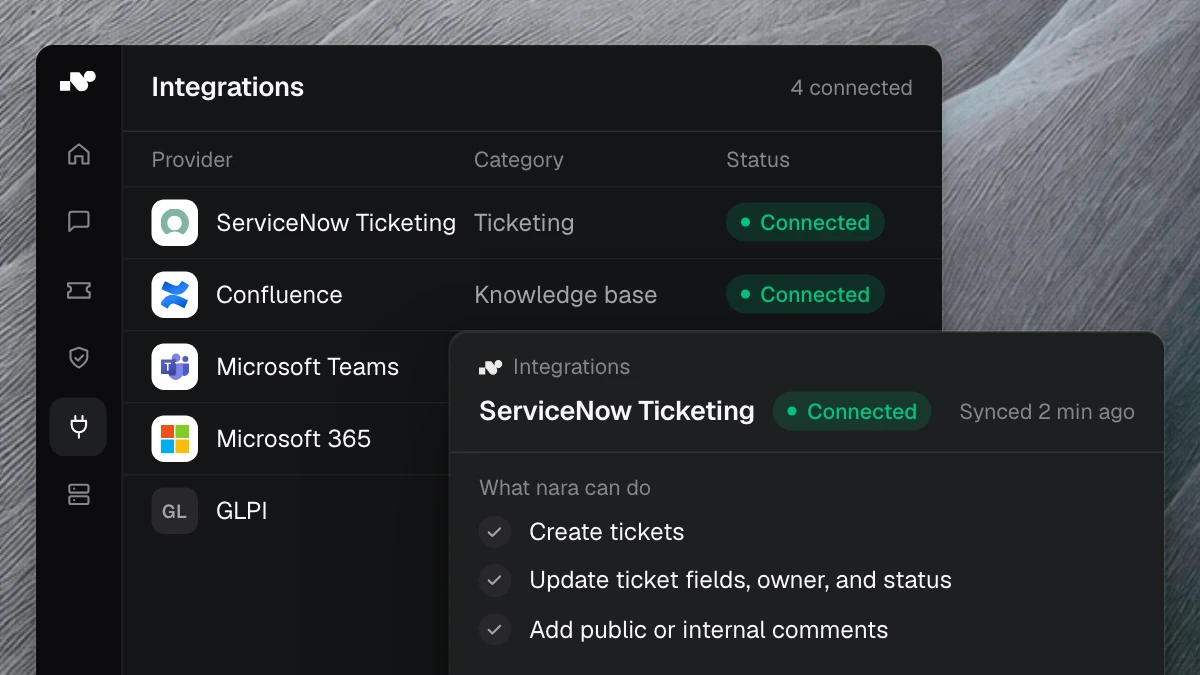
nara connects any system, with or without an API, from the purchasing system to HR software. nara reaches business applications that only run on an internal server through nara Edge, a small service that connects from the inside. Your firewall stays closed. You can keep your ticket system, such as ServiceNow, Matrix42, or Jira, and nara documents every case there. If you want to replace it, you use nara directly as your ITSM, with a portal and service catalog.
nara is developed and hosted in Germany, AI processing runs in the EU, and your data is not used for training. We provide documentation for data protection and the works council.
Frequently asked questions
What is the difference between ITSM and ESM?
ITSM governs how IT handles incidents, requests, and changes. ESM applies the same principles to HR, purchasing, finance, and facility management. Often both run in the same system.
Which departments is Enterprise Service Management suited for?
Any department that regularly handles requests from colleagues, above all HR, purchasing, finance, and facility management. If you are introducing service management for HR and purchasing, it is best to start with a workflow that involves several departments, such as onboarding.
Do you need new software for ESM?
Not necessarily, as your existing ITSM can often be extended. When choosing Enterprise Service Management software, what matters is whether it does the work behind the request or just provides another form. nara works alongside your ticket system or tracks requests itself.
How do you start with Enterprise Service Management?
With one process that needs several departments and causes noticeable friction today, usually onboarding. Measure it by whether everything is ready on the first day. In a free introductory meeting, we spend 30 minutes walking through your current workflow and use anonymized examples to show how nara takes it over.