Almost every ticket system has AI by now. So if you are looking for a ticket system with AI, you will find very different products under the same label. In some products the AI suggests a category, in others it drafts replies for your team, and in yet others it resets the password itself and closes the ticket. In the first two cases, your team still works every ticket. In the third, part of the requests never reaches your team at all.
Three levels of AI in the service desk
The levels differ in who does the work in the end: your team or the AI.
Level 1: the AI sorts and routes
Monday, 8:10 a.m., an email arrives: “Outlook won’t start, urgent!” Without AI, someone in first-level support reads the message, picks a category and priority, and assigns the ticket to a group. With level-one AI, the system recognizes the topic, suggests category and priority, and routes the ticket to the client team.
That is enough if routing is your bottleneck: someone spends half the day sorting emails, and tickets bounce between groups. The work itself barely changes. A person still fixes the Outlook problem, and the employee waits until that person has time.
Level 2: the AI suggests replies to your team
A ticket from the warehouse: “The labels print blank.” The service desk agent opens it and finds a draft: from a similar resolved ticket and the matching guide, the AI has written two steps to fix it. The agent checks it, adds a sentence, and sends the reply.
This helps with cases that need expertise, and when your knowledge is spread across many people and documents. The limit: someone on your team still opens every ticket, and the suggestions are only as good as your guides.
Level 3: the AI resolves the request itself
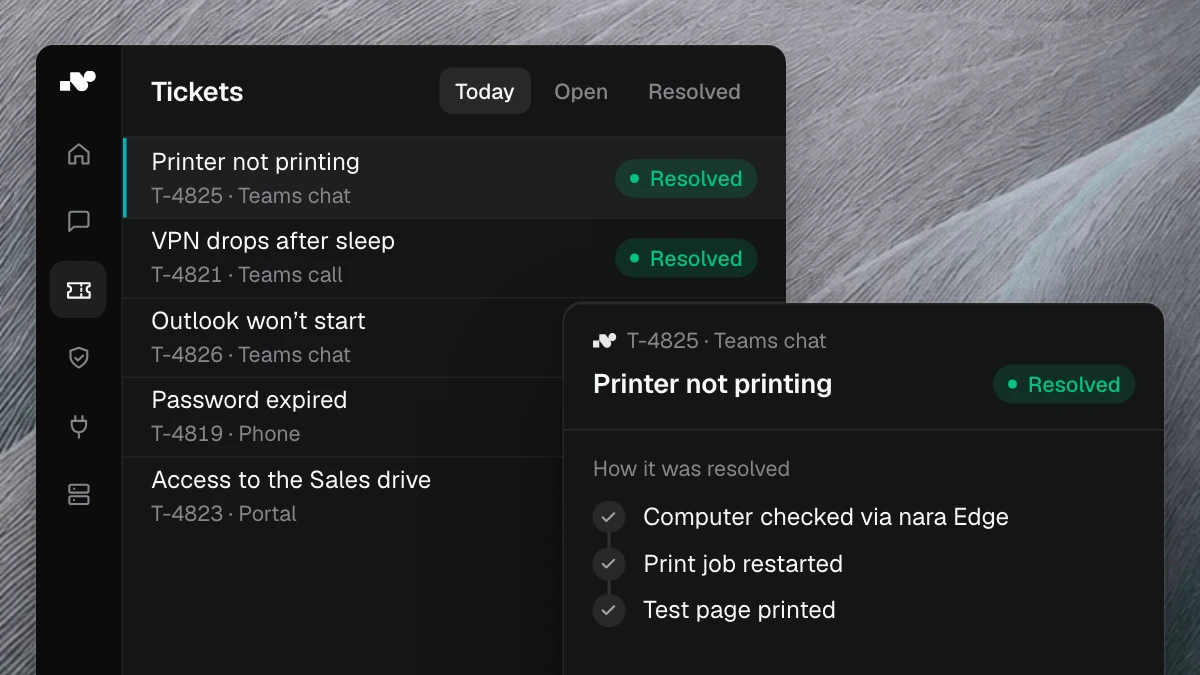
An employee writes in Microsoft Teams: “My printer isn’t printing.” The AI asks which computer it is, checks it, restarts the stuck print job, and prints a test page. Then it closes the ticket and records the three steps. Nobody from IT had to step in.
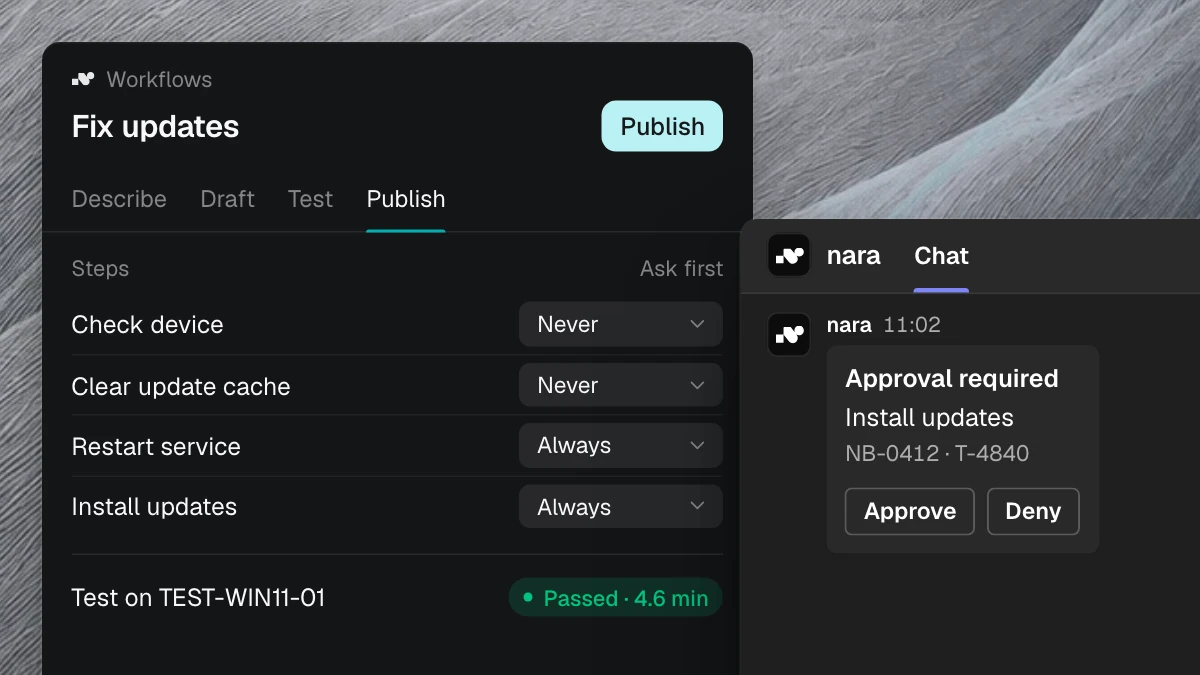
Here the AI acts itself, in your systems and on the device. For changes that carry more weight, such as access to a team mailbox, it asks the responsible person first and only carries out the change once they approve. Every step is logged.
Level three pays off wherever many similar requests with a clear outcome pile up: locked accounts, passwords, printers, updates, software, access. For that, the AI needs access to systems and devices, and you need clear rules for what it may do on its own. Our article AI agents in IT support describes where an AI agent acts on its own and where people decide.
Which level you need
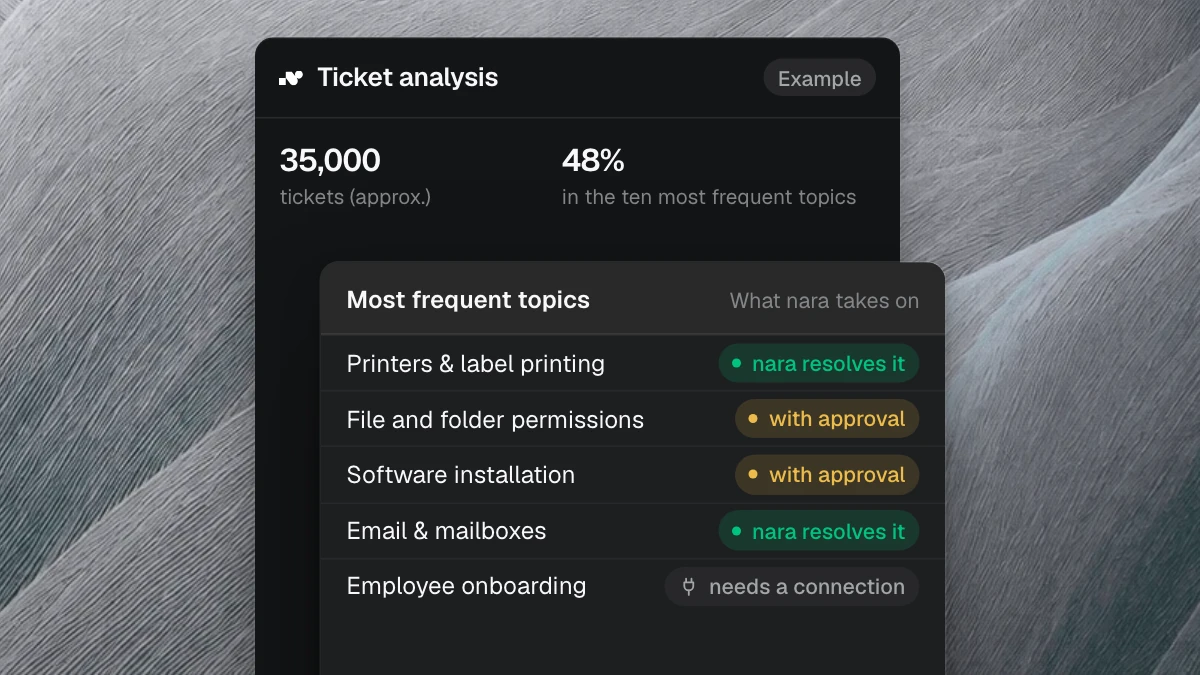
Your ticket history holds the answer. If most tickets fall into a few recurring topics, only level three takes real work off your team, because it closes tickets instead of routing them faster. If you want to automate tickets, you need an AI that is allowed to act. With many one-off cases that need expert knowledge, levels one and two help more. Usually both apply: the AI handles the routine and prepares the rest for your team.
How to compare offers for a ticket system with AI
On their websites, vendors sound alike. The differences show when you ask them to demonstrate the answer in the product, ideally with a ticket from your own day-to-day work.
1. What does the AI do without a human?
Have the vendor name requests the AI handles on its own from the first message to the closed ticket. “Automated” can also mean it only sets a category. Also check whether the AI can act on the laptop and whether it needs another product to do so.
2. Where does a person approve?
A good answer is: you decide per action what the AI does on its own and what needs approval. The responsible manager should be able to approve where they already work, such as in Microsoft Teams. Also ask what happens when nobody decides in time, and whether every approval is logged with name and time.
3. Where is the data processed, and is it used for training?
Where the ticket system is hosted says nothing about where the language model runs. Ask about both, including at peak load. Get it in writing whether your tickets are used to train models and who is listed as a subprocessor in the data processing agreement. Your data protection officer decides whether that is sufficient.
4. Does the AI work next to your existing system?
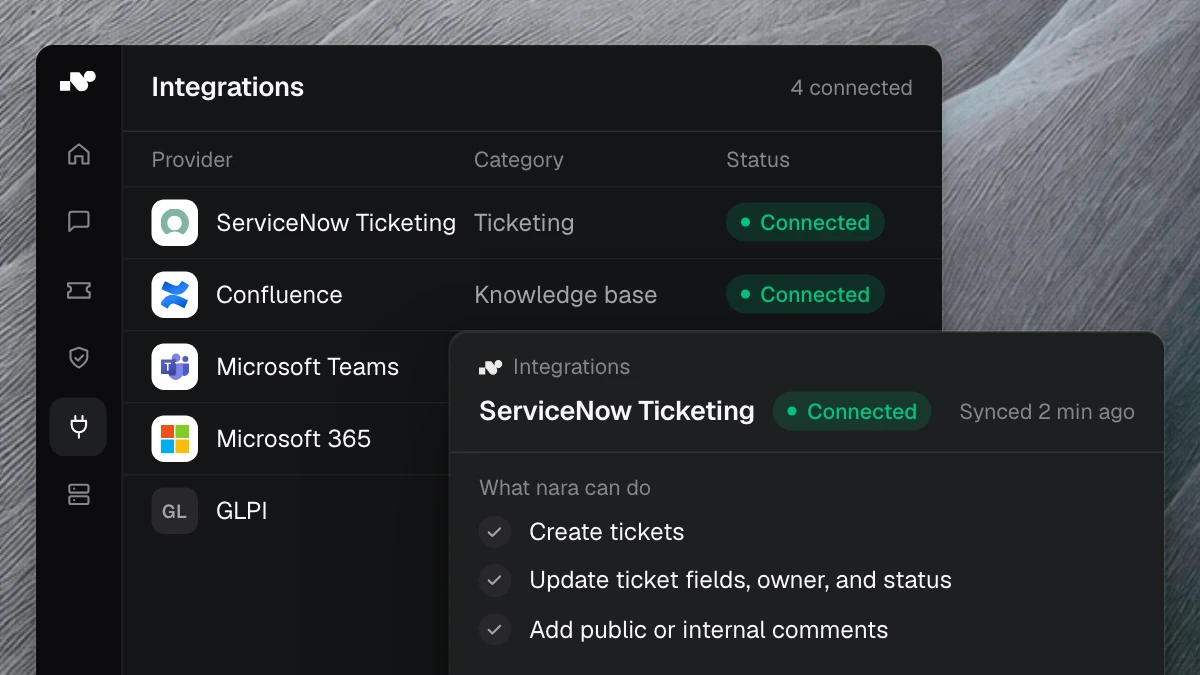
Often there are still running contracts for ServiceNow, Jira Service Management, Matrix42, TOPdesk, or Freshservice. Ask whether the AI works next to that system and documents every case there, what permissions it needs, and when it will handle its first requests. A good offer lets you switch later without making you switch first.
5. What happens when the AI can’t solve a case?
Check whether the AI recognizes when it is stuck and then hands the case to the right person, with everything it has already checked and tried. Your team then doesn’t have to start asking from scratch. And anyone on the phone who wants to talk to a person should be put through at any time.
How nara answers the five questions
nara is a complete ITSM with ticket system, service catalog, SLAs, and CMDB, and it covers all three levels: nara assigns tickets, answers with the steps from your guides and resolved tickets, and resolves routine requests itself.
- Without a human: nara handles incidents and service requests from the first message to closure. On the phone, nara recognizes the caller and unlocks the account or resets the password. nara fixes stuck printers, failed Windows updates, Outlook not receiving mail, and missing approved software directly on the computer, through nara Edge.
- Approvals: for every action, you decide whether nara runs it on its own or asks first. Anything that changes something needs approval by default, right in Microsoft Teams. If nobody decides in time, nara sends a reminder and escalates. The log records who asked, what nara did, in which system, and who approved it.
- Data: nara is developed and hosted in Germany. AI processing runs exclusively in the EU, and no model is trained on your data. nara redacts passwords and personal details before the AI reads them. You can request the documents for your CISO, data protection, and works council on the security page.
- Next to your system: within one to two weeks, nara works next to ServiceNow, Matrix42, Jira, Freshservice, or your other ITSM and documents every case there. A later switch with your ticket history takes about six weeks.
- When nara gets stuck: nara hands a complete ticket to the right person on your team, based on skills, workload, and availability, with everything nara has already checked and tried. On the phone, pressing 0 connects to a person.
For more questions, on billing and setup for example, see our comparison of AI service desks.
Frequently asked questions
What is an AI ticketing system?
An AI ticketing system, also called an AI-powered ticket system, uses AI for the work on requests. Depending on the product, the AI sorts tickets, suggests replies, or resolves requests itself. Ask every vendor which of these levels their product reaches.
Do we have to replace our ticket system to use AI?
No. nara, for example, runs next to ServiceNow, Matrix42, Jira Service Management, or Freshservice within one to two weeks and documents every case there. Whether you switch later is your decision at that point.
Is a ticket system with AI GDPR-compliant?
That depends on the vendor and the contract, above all on where the language model processes the data and whether it is used for training. Your data protection officer decides whether an offer fits. With nara, AI processing runs exclusively in the EU, with no training on your data.
Does AI in the service desk replace first-level support?
In part. A level-three AI takes over many requests that land in first-level support today, such as passwords, locked accounts, access, and laptop problems. Whatever needs experience or a decision stays with your team, but arrives prepared. The ticket analysis shows how large that share is for you within one to two weeks.
See nara in 30 minutes
In the free introductory meeting, you ask us the five questions, and we show you the answers in the product: with anonymized cases in which nara fixes a fault on a laptop or hands a case over to your team with a diagnosis. You don’t need any ticket data for this.